Getting Started
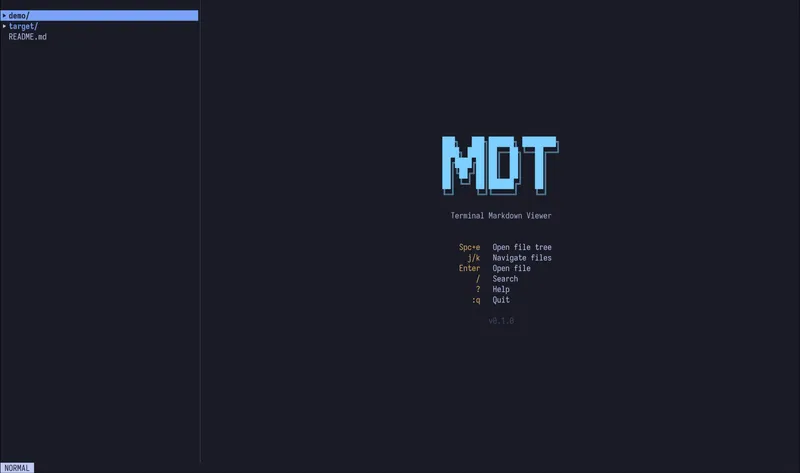
mdt is a fast, terminal-based markdown viewer and editor built with Rust. It lets you browse, read, and edit markdown files directly in your terminal with rich rendering, syntax highlighting, and a built-in file browser.
What can mdt do?
Section titled “What can mdt do?”- Browse files with a collapsible file tree, fuzzy finder, and file management operations
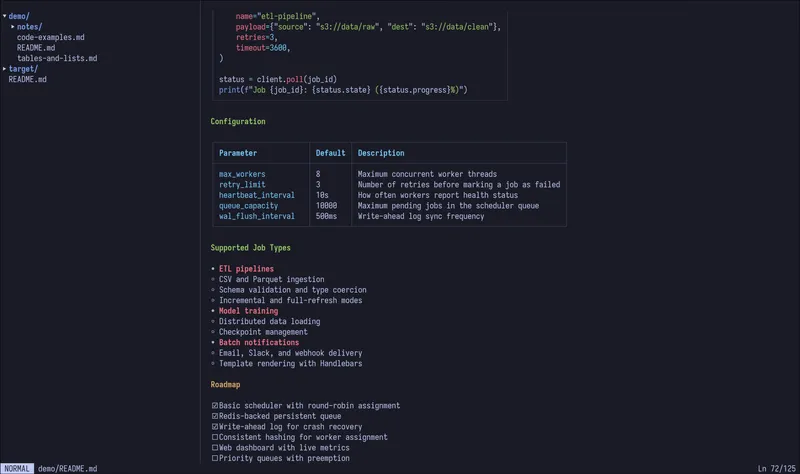
- Preview markdown with full rendering of headings, code blocks, tables, lists, blockquotes, and more
- Edit files with a built-in vim-style text editor
- Live preview your edits in a real-time split pane
- Search within documents and across the file tree
Quick start
Section titled “Quick start”Install mdt from crates.io:
cargo install mdtuiThen open a directory or file:
mdt # opens current directorymdt ~/notes # opens a specific directorymdt README.md # opens a specific fileThat’s it. You’ll see the file tree on the left and a markdown preview on the right. Use j/k to scroll, Enter to open files, and q to quit.
Next steps
Section titled “Next steps”- Installation — other ways to install mdt
- File Browser — navigating and managing files
- Editor — editing markdown with vim-style keybindings
- Live Preview — real-time split-pane preview
- Keybindings — complete keybinding reference
- Search — searching within documents and the file tree
- Configuration — CLI flags and terminal settings